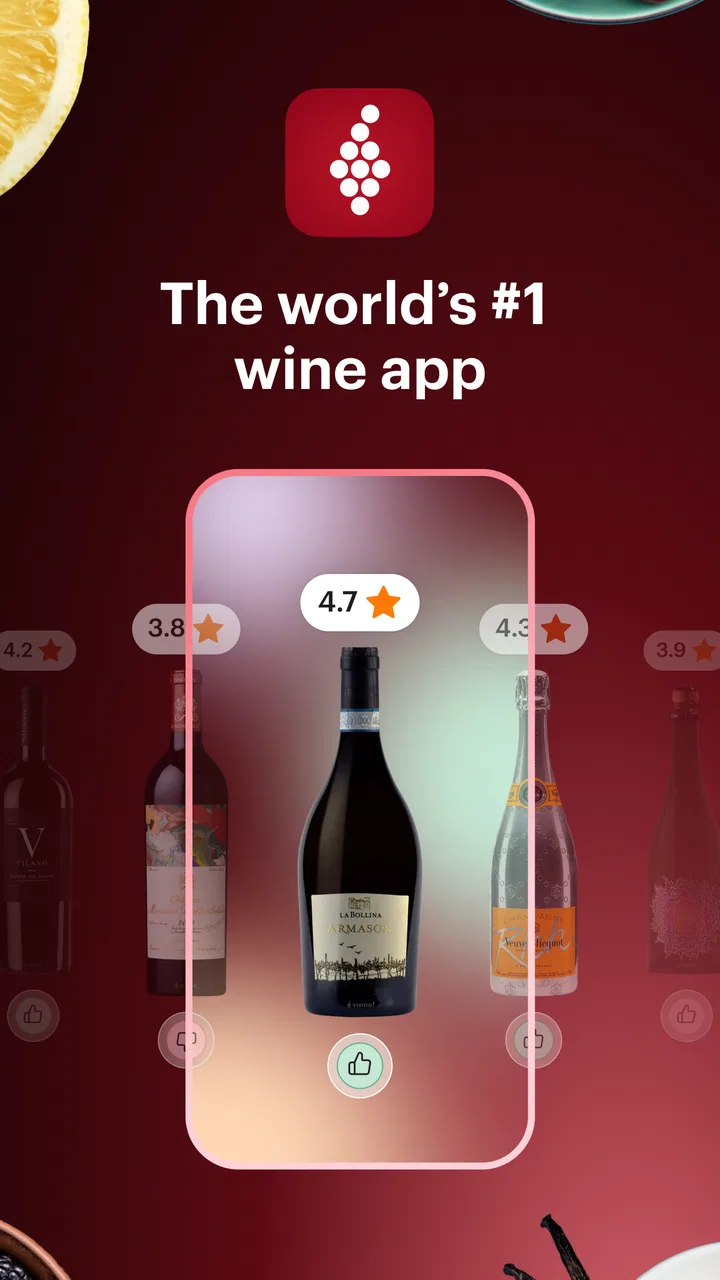
Vivino: Drink the Right Wine
- 4.7
- Rating
- 10.00M
- Installs
- Free
- Price

 Analysis by App-foxy
I use wine apps for one simple reason: I want more confidence when I am standing in front of a shelf full of unfamiliar bottles. Vivino is built around that moment. It helps me identify wines, understand how other drinkers rate them, keep track of bottles I have tried, and explore options before buying. After spending time with it, I see it as more than a digital wine list. It is a practical reference tool for curious drinkers, although its community-driven recommendations need a little judgment rather than blind trust.
Vivino is a free Food & Drink app from Vivino ApS, available for Android and iOS. It has been around since late 2010, and its current version is 2026.6.0. The app has reached more than ten million installs and holds a 4.7 average from roughly 227 thousand ratings, which gives a useful sense of its popularity. That does not mean every recommendation will suit every palate, but it does suggest that the basic wine-discovery workflow has become dependable for a large audience.
How Vivino feels in everyday use
I find Vivino most useful when a wine decision involves more than one person: choosing a bottle for dinner, checking what is already at home, or remembering whether a shared discovery was worth buying again. In this section, I’ll focus on how those everyday moments shape the experience, then turn to the practical boundaries that matter when a device and its wine history are shared.
You May Also Like

 Blood Strike: 2.5 Anniversary
Blood Strike’s Loadouts Turn Every Drop Into a Tactical Gamble
A close look at Blood Strike’s custom loadouts: how fast access to signature weapons reshapes its battle royale rhythm, rewards preparation, and narrows the gap between fights.

 Pandora - Music & Podcasts
Pandora’s Music Is Easy to Start, but Harder to Recover
Pandora’s strength is its low-effort path from a seed to a station. Its weak spot is how much confidence it asks you to place in connection, setup, and quiet recovery.

 8 Ball Pool
 Is Built on Rivalries, Rematches, and Routine
A close look at the rivalries, rematches, shared routines, and unanswered safety questions that turn a quick pool match into a persistent mobile community.

 Samsung Music
’s Quiet Strength Is Playing What You Already Own
Its reach comes less from spectacle than from dependable access to a personal library. That simplicity is both the app’s strongest retention engine and its ceiling.

 AccuWeather: Weather Radar
AccuWeather Review: A Quick, Clear Forecast for Everyday Decisions
For everyday plans, the best forecast is the one you can understand quickly. AccuWeather makes rain timing, radar, and local conditions easy to act on, with a few trade-offs.

 Hill Climb Racing
Why Hill Climb Racing Still Turns Crashes Into One More Run
A tiny car, a bumpy hill and one more upgrade: Hill Climb Racing keeps resurfacing because its simple chaos makes every near-miss feel personal.
More From Our News Desk
View All News


A quick answer when the label tells you very little
The most useful starting point is the bottle scanner. When I encounter a wine I do not recognize, I can use the phone camera to scan its label instead of typing the producer, vintage, region, and grape variety manually. That is especially helpful in a restaurant or shop, where I may have only a few seconds to make a decision.
The scan is not just a novelty. It connects the bottle to a wider record containing information such as its style, origin, community rating, tasting impressions, and possible food pairings. The result is much more useful than a generic web search because the bottle itself is the starting point. If the label is hard to read, partly hidden, or shared by several vintages, I still need to check that the result matches the bottle in my hand.
That last step is important. Wine labels can vary by country, vintage, and producer edition. I would not scan a bottle and immediately assume the first match is perfect. I look at the image, region, producer, and vintage before using the rating to guide a purchase. This small habit prevents one of the app's biggest practical weaknesses: a correct-looking result that refers to a nearby but different bottle.
Ratings are useful as a filter, not as a verdict
Vivino's community rating system is most helpful when I use it to narrow a choice. If I am choosing between several wines at a similar price, a rating and a collection of tasting notes can quickly show which bottles are more likely to be crowd-pleasers. I also find the written notes valuable when they mention sweetness, acidity, body, fruit character, or oak. Those details tell me more than a score alone.
Still, a popular wine is not automatically the right wine for me. Ratings combine many preferences, drinking occasions, and levels of experience. A heavily oaked red may receive enthusiastic reviews from one group and disappoint someone looking for freshness. A sweet white may be perfect with spicy food but feel wrong beside a delicate dish. I treat the community score as a first filter, then compare the comments with my own taste.
A smart way to use the app is to search for patterns in reviews rather than isolated opinions. If several people independently describe a bottle as dry, light, fruity, or tannic, that repeated language is more informative than one dramatic comment. I also pay attention to recent tasting notes when available, because wine can vary between vintages and storage conditions.
Building a personal record of what I actually drink
The cellar and wine-tracking tools give the app a longer life beyond a single shopping trip. I can record bottles I own or have tried, then return to those entries when I want to remember a producer, compare past choices, or avoid buying something I already disliked. This is more practical than relying on memory, particularly after a tasting where several wines blur together.
For a small home collection, the tracking feature can act as a lightweight inventory. I can check what is already available before going to a store, and I can note which bottles are being saved for a particular meal. It is not the same as a specialist cellar-management system, but that simplicity is part of its appeal. I would rather use a quick record consistently than maintain an elaborate system that becomes a chore.
One useful workflow is to record a bottle immediately after opening it, while the details are still fresh. I can add my own impression rather than depending entirely on public reviews. Later, when I see the same producer again, my personal note is often more relevant than the overall community score. This turns Vivino from a recommendation feed into a personal taste diary.
Shopping support without losing control of the decision
Vivino also connects discovery with online wine shopping. That can be convenient when I have found a bottle I want to investigate further, especially if I am comparing availability or looking for alternatives with a similar style. The app's value here is that the shopping journey begins with a wine profile rather than a blank search box.
I would still compare the final offer carefully. Availability, delivery terms, local rules, and the condition of a bottle can matter as much as the community rating. The app can help me identify a candidate, but it should not replace checking the seller, total cost, vintage, and bottle details before placing an order. For people who prefer to buy only from a trusted local shop, the shopping side may be less important than the scanner and cellar functions.
What has changed for long-time users
The current version, 2026.6.0, shows that Vivino remains an actively maintained product rather than a frozen catalog. The app has evolved from a simple way to look up bottles into a broader combination of scanning, personal tracking, recommendations, and shopping. That evolution matters because existing users are likely to see the service as an ongoing wine companion, not merely an identification tool.
For someone returning after a long break, the main difference is the breadth of the experience. There is more reason to keep the app installed after the initial scan: I can use it before buying, during a meal, after tasting, and while organizing bottles at home. The trade-off is that the interface can feel busier than a focused barcode or label scanner. New users may need a little time to understand which parts are essential and which are optional.
The app is free to download and use, while in-app purchases range from about five dollars to around fifty-seven dollars per item. I would begin with the free experience and only consider paid options if a specific feature genuinely improves my routine. The existence of optional purchases does not make the basic scanner and tracking workflow pointless, but it does mean I would review any upgrade screen carefully instead of assuming every useful function is included in one package.
Where Vivino is stronger than the usual alternatives
Compared with a general search engine, Vivino is faster at turning a bottle label into wine-specific context. A search engine may return retailers, producer pages, and scattered opinions, while Vivino brings the bottle record and drinker feedback together. Compared with a simple notes app, it offers a structured way to identify wines and compare them with a broader community.
It also has an advantage over relying only on a shop employee. Good wine advice from a specialist can be excellent, but the app gives me a private second opinion that I can consult anywhere. That is useful when I am shopping in an unfamiliar place or when I want to remember a bottle without asking someone to repeat its details.
On the other hand, a dedicated cellar-management app may be better for a serious collector who needs precise storage locations, detailed inventory controls, or advanced bottle planning. A professional tasting notebook may also suit someone who wants complete control over custom fields and structured tasting methodology. Vivino is the better middle ground for people who want discovery and memory aids without turning wine into an administrative project.
A realistic dinner scenario
Imagine I am invited to dinner and want to bring a bottle for a dish I have not cooked before. At the shop, I scan several candidates, check whether the community descriptions match the meal, and look for repeated comments about body and sweetness. I save the final choice in my history, then write a short note after dinner about how it worked with the food.
The next time I need a similar bottle, I do not start from zero. I can revisit that experience and search for wines with a related style. This is where the app becomes more valuable than a one-time rating lookup: it gradually records my own decisions. The recommendation is still imperfect, but it is now informed by both the wider community and my personal history.
Small habits that make the app more accurate
My first tip is to scan in good light and hold the phone steady. A clean, front-facing label gives the recognition system a better chance of finding the exact bottle. My second tip is to verify the vintage and bottle image before saving anything. This takes only a moment and avoids polluting the cellar with duplicate or incorrect entries.
My third tip is to use personal notes for context. Instead of writing only “good” or “bad,” I would record the meal, serving temperature, and the qualities I noticed. That makes the note useful later. A wine that seemed too sharp on its own may have worked beautifully with rich food, and the app is much more helpful when my record captures that distinction.
A fourth useful habit is to separate exploration from buying. I can scan a bottle and save it for later without purchasing immediately. That gives me time to compare similar wines, check whether the listed bottle is the same vintage, and decide whether the rating reflects the style I actually enjoy. The app is at its best when it slows down an impulsive choice just enough to make it informed.
Limitations I would want to know first
The community model is both the app's strength and its limitation. A large number of opinions can reveal useful patterns, but it can also favor familiar styles and popular labels. Niche wines may have thinner feedback, and a score cannot account for how the bottle was stored, served, or paired. I would be cautious about treating a high rating as a guarantee of quality.
The scanner also depends on a recognizable label and a good match in the catalog. It is not magic, and an unusual bottle, poor lighting, or a label variation can create friction. Typing the wine manually may be slower but sometimes more reliable. If I regularly buy small-production bottles that are difficult to identify, I would not choose Vivino solely for scanning.
Another limitation is that the app can encourage comparison shopping when I may simply want a quiet meal. Recommendations, ratings, and shopping options are useful, but they can make wine feel more competitive than enjoyable. I sometimes prefer to choose a bottle based on a trusted producer or a friend's suggestion and use Vivino only afterward to record the experience.
Privacy-conscious users may also prefer to keep their tasting notes in a private notebook or a basic notes app. Vivino's social and community-oriented design is valuable if I want shared opinions, but less appealing if I want a completely personal, offline record. Likewise, people who dislike account-based shopping journeys may find the broader ecosystem more involved than necessary.
Who should use it, and who should skip it
I recommend Vivino to beginners who want help reading unfamiliar labels, casual drinkers who forget which bottles they liked, and shoppers who often compare several wines before choosing. It is also a good fit for someone building a modest home collection and wanting a searchable memory of past purchases.
I would be more selective for advanced collectors, professional buyers, or anyone who needs rigorous cellar controls. Those users may want a specialized tool alongside Vivino rather than instead of one. I would also skip it if I never buy wine, never want community recommendations, or strongly prefer a completely private and minimal note-taking experience.
The Teen content rating is worth keeping in mind for households where age-appropriate app access matters. The app is about wine discovery and purchasing, so it is not designed as a general-purpose food planner or a recipe application. That focus is helpful when I want wine information, but it limits its usefulness if I am looking for broader meal planning.
What I would watch in future updates
The most important thing to watch is whether the app continues making personal records more useful without making the basic experience harder to navigate. Better ways to distinguish vintages, organize bottles, and connect my own tasting history with recommendations would have more practical value to me than simply adding more promotional shopping content.
I would also look for clearer separation between community opinion, personal preference, and commercial availability. Those are three different kinds of information, and the best experience helps me understand which one I am viewing at a glance. As the app continues to evolve, that clarity will matter especially for newcomers who may assume every prominent recommendation is equally independent.
My final take after using it
Vivino succeeds because it solves a real everyday problem: making a less intimidating choice from a shelf full of wine. The scanner is the entry point, but the lasting value comes from combining bottle discovery with personal history. I like being able to check a label quickly, read several perspectives, and preserve my own reaction for later.
I would not use the app as an unquestionable authority, and I would not expect it to replace a specialist cellar tool or a knowledgeable wine professional. Its ratings need context, its matches need checking, and its shopping features deserve the same careful comparison I would apply anywhere else. Used that way, it is a practical companion rather than a decision-maker.
For a free app with a 4.7 average and more than ten million installs, Vivino has clearly found a broad audience, and I understand why. Its best feature is not telling me what to like; it is helping me remember, compare, and choose with a little more confidence. If that is the kind of help you want when buying or exploring wine, I think it is worth trying. If you want a private, highly technical cellar database or no community influence at all, another tool will probably fit better.
FAQs for Vivino: Drink the Right Wine
01What is Vivino and how does it work?
Vivino is a wine discovery and recommendation app that helps users choose the right wine. By using the app, you can scan wine labels to instantly access reviews, ratings, and pricing. It also allows you to track wines you've tasted and receive personalized recommendations based on your preferences.
02Is Vivino free to use?
Yes, Vivino is free to download and use. The app provides access to a vast database of wine reviews and ratings at no cost. However, there are optional in-app purchases and premium features that offer enhanced functionalities, such as advanced wine insights and personalized recommendations.
03Can Vivino help me purchase wine?
Absolutely. Vivino offers a seamless buying experience by connecting you with online retailers and local shops where you can purchase your favorite wines. The app provides price comparisons and availability, making it easy to find and buy wines directly through the app.
04Is Vivino suitable for wine beginners?
Yes, Vivino is perfect for beginners as it simplifies wine selection. The app provides detailed information on each wine, including flavor profiles, food pairings, and user reviews. This helps new wine enthusiasts make informed decisions without feeling overwhelmed by the vast selection available.
05How accurate are the Vivino ratings and reviews?
Vivino ratings are generated from a large community of wine enthusiasts, providing a diverse range of opinions. While the reviews are subjective, the large number of contributors helps ensure a balanced perspective. The app aggregates these ratings to give users a reliable overview of each wine's quality.
Pros
- Extensive wine database for easy discoveries.
- User-friendly interface with intuitive navigation.
- Personalized wine recommendations based on taste.
- Community reviews offer diverse perspectives.
- Barcode scanner for quick wine information.
Cons
- Requires account for full feature access.
- In-app purchases can be pricey.
- Limited offline functionality.
- Some wines lack detailed reviews.
- Occasional lag in loading data.

Vivino: Drink the Right Wine
Gallery